Happiest Baby, makers of SNOO
- 3.4
- Rating
- 100.00K
- Installs
- Free
- Price

 Analysis by App-foxy
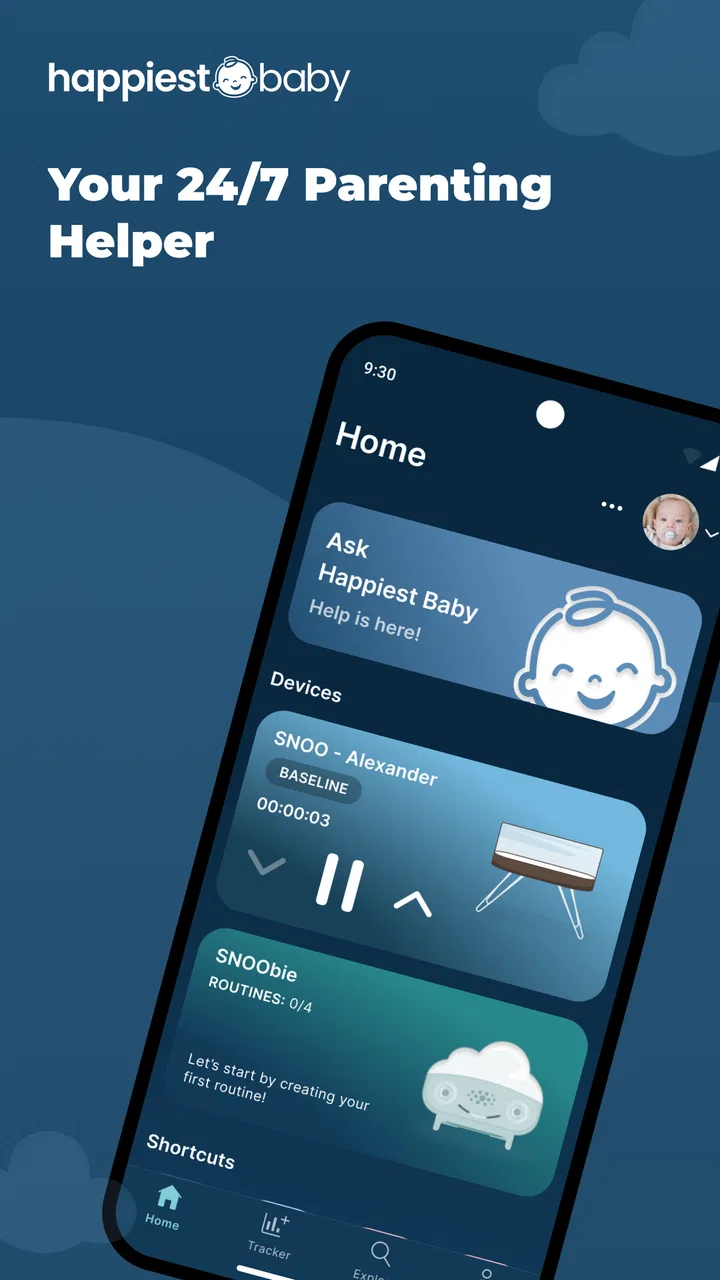
When a newborn’s sleep depends on a SNOO bassinet, the phone becomes part of the daily routine. That is where Happiest Baby fits. This free parenting app from Happiest Baby, Inc. replaces the earlier SNOO App and works as the mobile companion for SNOO and SNOObie. I found it most useful when I treated it less like a general baby tracker and more like a remote control and routine aid for connected nursery equipment.
That distinction matters. You are not downloading a broad parenting encyclopedia or a replacement for every sleep log on your phone. The main reason to install it is to manage and support the SNOO experience from a mobile device. For a parent who is already using compatible Happiest Baby equipment, that focused purpose makes sense. For someone without that equipment, the app is unlikely to offer enough value on its own.
The app is listed as free, with optional in-app purchases priced at $19.99 per item. It is rated for Everyone and requires Android 10 or later when used on Android. The current release is version 2.9.7, and its store presence has grown to over 50 thousand installs. Those details make it approachable, but the average score of 3.3 from around 1.7 thousand ratings also suggests that the experience can be uneven for some families.
You May Also Like

 Blood Strike: 2.5 Anniversary
Blood Strike’s Loadouts Turn Every Drop Into a Tactical Gamble
A close look at Blood Strike’s custom loadouts: how fast access to signature weapons reshapes its battle royale rhythm, rewards preparation, and narrows the gap between fights.

 Pandora - Music & Podcasts
Pandora’s Music Is Easy to Start, but Harder to Recover
Pandora’s strength is its low-effort path from a seed to a station. Its weak spot is how much confidence it asks you to place in connection, setup, and quiet recovery.

 8 Ball Pool
 Is Built on Rivalries, Rematches, and Routine
A close look at the rivalries, rematches, shared routines, and unanswered safety questions that turn a quick pool match into a persistent mobile community.

 Samsung Music
’s Quiet Strength Is Playing What You Already Own
Its reach comes less from spectacle than from dependable access to a personal library. That simplicity is both the app’s strongest retention engine and its ceiling.

 AccuWeather: Weather Radar
AccuWeather Review: A Quick, Clear Forecast for Everyday Decisions
For everyday plans, the best forecast is the one you can understand quickly. AccuWeather makes rain timing, radar, and local conditions easy to act on, with a few trade-offs.

 Hill Climb Racing
Why Hill Climb Racing Still Turns Crashes Into One More Run
A tiny car, a bumpy hill and one more upgrade: Hill Climb Racing keeps resurfacing because its simple chaos makes every near-miss feel personal.
More From Our News Desk



How I would build a dependable daily routine
The simplest way to use the app is to make it part of a repeatable bedtime and settling workflow. Before putting the baby down, I would open it, check that the SNOO connection is ready, and confirm the current state rather than assuming the last session ended exactly as expected. That small pause is useful because tired parents often remember the routine generally, but not every setting or change made during a difficult night.
In a realistic evening, one parent might finish feeding while the other prepares the bassinet. Instead of repeatedly walking back to the nursery, the app can serve as the place to check and manage the connected SNOO experience. If the baby becomes unsettled, the parent can respond from the phone, then return attention to the child instead of turning the situation into a sequence of trips across the room.
I would also keep the app available to both caregivers in the same household routine. The practical benefit is not simply convenience; it is consistency. If one parent changes a setting during a late-night wake-up, the other should know what was changed before making another adjustment. A shared habit of checking the current state first prevents the common problem of two adults reacting independently and gradually losing track of the setup.
The most valuable habit is checking before changing. Parents often want an immediate solution when a baby cries, but rapid, repeated adjustments can make it difficult to understand what actually helped. I would make one deliberate change, observe the result, and avoid treating every short burst of fussing as proof that another setting is needed. The app supports a more measured routine, but the discipline still comes from the user.
What the app is really replacing
The old SNOO App is not a separate choice to keep alongside this one; Happiest Baby positions this app as its replacement. That means existing SNOO users should think of the transition as moving their day-to-day mobile companion rather than adding another optional parenting tool. The first use should therefore be approached as a setup check: make sure the app is the one you intend to use, confirm the connected equipment appears correctly, and avoid relying on memory from the previous app.
Compared with a standard baby-tracking app, the difference is clear. A typical tracker is built around feeds, diapers, naps, and notes. This app is more closely tied to the operation and routine around SNOO and SNOObie. If your priority is a detailed chronological record of everything your baby does, a dedicated tracker may be better. If your priority is interacting with the Happiest Baby sleep environment, a general tracker will not be a direct substitute.
Settings worth checking before a difficult night
I would not wait until the baby is already crying to explore the app. The calmer moment is the right time to become familiar with the controls and identify which options are relevant to your household. This is especially important for new parents, because a setting that seems obvious in daylight can feel confusing at three in the morning when one hand is holding a baby and the other is trying to operate a phone.
Start by checking the connection and the visible device state. The app’s usefulness depends on its relationship with SNOO or SNOObie, so a parent should know what a normal connected screen looks like before an urgent situation occurs. If the app does not reflect the expected device state, I would troubleshoot that first rather than repeatedly tapping controls and assuming the commands were received.
Next, review the available response controls without changing everything at once. The practical goal is to understand which adjustment is intended for a brief intervention and which one changes the ongoing routine. Experienced use is not about selecting the most active response every time. It is about knowing when a small intervention is enough and when the baby’s needs call for direct parental attention instead.
Another useful check is deciding who in the household is responsible for changes during the night. This sounds like a family-management issue rather than an app feature, but it directly affects the quality of the experience. If one person handles feeding and another handles the device, agree on a simple handoff: say what was changed, why it was changed, and whether it should remain in place. The app becomes much easier to use when it is part of a clear routine rather than a private control panel that only one caregiver understands.
Parents should also separate device control from safe-sleep decisions. A remote adjustment may help with the surrounding routine, but it does not replace checking the baby, the sleep environment, or the manufacturer’s guidance. I would never use the convenience of the phone as a reason to delay physically checking on a distressed child. The app is a support tool, not a substitute for judgment.
Faster patterns that reduce late-night friction
Once the basics are familiar, the biggest improvement comes from reducing unnecessary decisions. I would keep a short personal sequence in mind: check the baby, open the app, confirm the device state, make one appropriate adjustment if needed, and then reassess. This is faster and more reliable than opening the app without a plan and experimenting while everyone is already tired.
A second pattern is to use the app before the predictable trouble point, not only after it begins. If your baby commonly becomes unsettled during a particular part of the bedtime routine, prepare the phone and confirm the equipment beforehand. That does not mean changing settings pre-emptively without reason. It means removing avoidable friction, such as searching for the app, remembering account details, or discovering a connection issue when immediate attention is needed.
I also found value in keeping changes easy to explain. If a caregiver cannot describe what they did in one sentence, the adjustment may be too complicated for a stressful moment. A useful household rule is to make one clear change at a time and leave a mental note of the previous state. That makes it easier to return to the earlier routine if the new approach is not helpful.
For families using both SNOO and SNOObie, it is worth being precise about which product the current action concerns. The app’s role covers both parts of the Happiest Baby ecosystem, but parents should not assume that a control or workflow intended for one device behaves identically with the other. I would read the relevant in-app wording carefully and avoid transferring assumptions from the bassinet to the other product.
One less obvious advantage of this approach is that it protects the parent’s attention. The app can reduce walking and repeated manual interaction, but only if the user has already decided what they are trying to accomplish. When the phone becomes a place to browse rather than a focused tool, it can add distraction at exactly the wrong time. I recommend opening it with a purpose, completing the necessary action, and putting the phone down.
Where the experience can become frustrating
The rating indicates that the app is not universally smooth, and I can understand why a connected-device companion can feel more demanding than a normal standalone app. A general app can still be useful when one feature has a problem. A companion app is judged by whether it reliably reflects and controls equipment at the moment parents need it. Any uncertainty about connection, device status, or whether an action took effect feels more serious in that context.
That is why I would not recommend making the app the only way a household understands its routine. Every caregiver should know the basic physical operation and the appropriate safety guidance for the equipment. The phone is convenient, but convenience should not create dependence. If the app is unavailable or behaving unexpectedly, parents still need a calm fallback rather than a night spent trying to solve a technical issue.
The optional purchase model is another point to consider. The app itself is free, but some items cost $19.99 each. Before paying, I would identify exactly what the item adds to your own routine and whether it addresses a real need. A parent who only needs the basic companion experience may not want to add purchases immediately. Someone who depends heavily on the broader Happiest Baby ecosystem may find a paid item worthwhile, but that decision should come after using the core workflow rather than during a rushed setup.
The app also should not be confused with a universal sleep solution. It can support the use of SNOO and SNOObie, but no connected control can guarantee that a baby will settle, sleep for a particular length of time, or respond consistently from one night to the next. Babies change quickly, and a setting that seems helpful one evening may not solve the next problem. The right expectation is improved control and convenience, not automatic results.
Who will benefit most from it
I would recommend this app first to parents who own or regularly use SNOO or SNOObie and want the intended mobile companion. It is especially practical for households where two caregivers share night duties, because a phone-based workflow can make handoffs less disruptive. It may also suit parents who value a repeatable routine and prefer managing connected nursery equipment from one focused app instead of relying on scattered controls.
It is less suitable for someone looking for a complete parenting dashboard. If your main interest is logging feeds, diaper changes, pumping sessions, medication, growth, or developmental notes, this is not the app I would choose as the center of that system. A broader baby tracker will likely provide more depth for those tasks. You can use both types of app, but you should understand that they solve different problems rather than expecting this one to replace a full logbook.
I would also hesitate to recommend it to a parent who dislikes connected-device routines or who wants a completely manual nursery setup. The value comes from the relationship between the app and Happiest Baby equipment. Without that relationship, the download has little reason to stay on the phone. Likewise, families who need extensive customization should test the available controls carefully before assuming the app will match every preference.
How I would get more from the current version
With version 2.9.7 installed, I would begin by learning the ordinary path before looking for speed. Use the app during a calm daytime session, confirm the equipment connection, and practice the actions that matter most to your household. This creates a reference point. If something later feels different, you can recognize whether the issue is a changed setting, a connection problem, or simply a tired parent remembering the workflow incorrectly.
I would then create a short written handoff for the other caregiver. It does not need to be technical. A few lines explaining how to check the current state, which adjustment is normally tried first, and when to stop using the phone and check the baby can prevent confusion. This is one of the most useful “advanced” improvements available to families: not a hidden button, but a shared operating method.
Another smart practice is to avoid judging the app from one unusually difficult night. A baby’s behavior can make any routine feel ineffective, and frustration may be blamed on the phone even when the real issue is hunger, discomfort, illness, or a need for direct soothing. I would assess the app over ordinary use: Does it make the device easier to manage? Does it reduce unnecessary movement? Does it help both caregivers follow the same plan? Those are fair tests.
At the same time, do not ignore recurring technical friction. If you repeatedly have to verify whether an action worked, the app is no longer saving attention. In that situation, use the manufacturer’s support resources and keep a manual fallback. The best companion app should fade into the routine; it should not become another problem parents must monitor.
My verdict after looking at the whole workflow
Happiest Baby makes the most sense as a focused companion for families already using SNOO or SNOObie. I like its potential to put the relevant controls close at hand and to make night-time coordination less disruptive. The strongest results come from a calm, repeatable method: check first, change one thing, communicate with the other caregiver, and keep direct attention on the baby.
Its limitations are equally important. This is not a replacement for a complete baby journal, not a guarantee of better sleep, and not a reason to abandon physical checks or safe-sleep guidance. The free download is easy to try, but optional purchases at $19.99 per item deserve a deliberate decision rather than an automatic upgrade. The modest average rating also tells me that prospective users should approach it as useful equipment software, not as a flawless parenting solution.
My final recommendation is conditional but positive. If you have the compatible Happiest Baby products, install it and build your routine around the few actions you genuinely use. Learn the controls during the day, agree on a caregiver handoff, and keep a non-phone fallback. If you do not use SNOO or SNOObie, choose a broader parenting tracker or a different sleep tool instead. For the right household, this app can remove small points of friction from exhausting nights; its real strength is not doing everything, but keeping one important part of the nursery routine within easy reach.
FAQs for Happiest Baby, makers of SNOO
01What is Happiest Baby's SNOO, and how does it work?
Happiest Baby's SNOO is a smart bassinet designed to help babies sleep better and longer. It uses soothing white noise and gentle rocking motions to mimic the sensations of the womb, helping to calm fussy infants. The SNOO is equipped with responsive technology that adjusts its settings based on the baby’s cries, providing personalized comfort.
02Is the SNOO safe for my baby?
Yes, the SNOO is designed with safety as a top priority. It includes a secure swaddle system that prevents rolling, which is a major concern with infant sleep. The SNOO has been rigorously tested to ensure it meets all safety standards, providing parents peace of mind while their baby sleeps.
03What age range is the SNOO suitable for?
The SNOO is suitable for newborns and infants up to six months old, or until your baby starts to roll over or push up on their hands and knees. It is designed to support babies during their early months when establishing healthy sleep patterns is crucial for both the baby and parents.
04How do I set up and operate the SNOO?
Setting up the SNOO is straightforward. It comes with a detailed instruction manual and an easy-to-follow video guide. The operation is simple, involving just a few buttons to control the motion and sound levels. Additionally, the SNOO app allows you to customize settings remotely and track your baby's sleep patterns.
05Does the SNOO require a subscription or additional purchases?
While the SNOO itself does not require a subscription to operate, there is an optional app that enhances its functionality. The app offers features such as sleep tracking and personalized tips. However, no additional purchases are necessary to use the core features of the SNOO effectively.
Pros
- Easy setup with clear instructions.
- Soothing sounds and motions for babies.
- Improves baby's sleep quality.
- Remote monitoring via app.
- Adjustable settings for customization.
Cons
- Requires a subscription for full features.
- Limited compatibility with older devices.
- Higher price point than competitors.
- Bulky design may not suit small spaces.
- App needs frequent updates for stability.

Happiest Baby, makers of SNOO
Gallery